The Creation of chuckcyber.dev
Why Was It Made
This website is a summary of me — it has my accomplishments, achievements, goals, and aspirations. I built it to learn HTML, get hands-on with web development, understand how to secure a web server, and learn how to self-host a website from scratch on real cloud infrastructure.
Services Used
Register the Domain
Registered chuckcyber.dev through Cloudflare Registrar at $12/year. Using Cloudflare as the registrar means DNS management and the domain are in the same place — cleaner and easier to manage.
Setting Up the VM
Used Oracle Cloud's always-free tier Ubuntu ARM instance with 4 OCPUs and 24 GB of RAM. After configuring the instance and generating SSH keys, connected to the server and updated the system:
sudo apt update && sudo apt upgrade -y
Installing Nginx
Installed Nginx as the web server, then configured it to start automatically on every reboot:
sudo apt install nginx -y
sudo systemctl start nginx && sudo systemctl enable nginx
Configuring Firewalls
Oracle VMs have three layers of firewall that all need to allow traffic — Oracle Cloud Security Lists, UFW, and iptables. All three must be configured or the site won't be reachable from the internet.
UFW SETUP
sudo apt install ufw -y
sudo ufw allow 'Nginx Full'
sudo ufw allow OpenSSH
sudo ufw enable
IPTABLES — PERSISTENT RULES ON REBOOT
Oracle's Ubuntu images come with a saved iptables ruleset that reloads on boot. Ports 80 and 443 need to be added to that saved file so they survive reboots:
sudo sed -i '/^-A INPUT -p tcp -m state --state NEW -m tcp --dport 22/a -A INPUT -p tcp -m state --state NEW -m tcp --dport 80 -j ACCEPT\n-A INPUT -p tcp -m state --state NEW -m tcp --dport 443 -j ACCEPT' /etc/iptables/rules.v4
sudo iptables-restore < /etc/iptables/rules.v4
sudo apt install iptables-persistent -y
ORACLE CLOUD SECURITY LISTS
In the Oracle Cloud console: Compute → Instances → your instance → Subnet → Security Lists → Add Ingress Rules:
- Source: 0.0.0.0/0 | Protocol: TCP | Port: 80
- Source: 0.0.0.0/0 | Protocol: TCP | Port: 443
Configure DNS in Cloudflare
Added two A records in Cloudflare DNS pointing to the VM's public IP. Two records are needed — one for the root domain and one for www — so the site is reachable either way:
- Type: A | Name: @ (root domain) | Public IP | Proxy: DNS Only (gray cloud)
- Type: A | Name: www | Public IP | Proxy: DNS Only (gray cloud)
SSL Certificate with Certbot
Certbot is a free tool that gets SSL certificates from Let's Encrypt and automatically configures Nginx to use them.
sudo apt install certbot python3-certbot-nginx -y
sudo certbot --nginx -d chuckcyber.dev -d www.chuckcyber.dev
Certbot automatically modifies the Nginx config to handle HTTPS, sets up redirects from HTTP to HTTPS, and creates a cron job to auto-renew the certificate before it expires.
Deploy the Site
The site is a folder containing HTML files with embedded CSS and JavaScript. Deployed via SCP (Secure Copy Protocol) from Windows to the VM. Files go to the home directory first since the Nginx web root requires sudo to write to:
scp -i "path\to\private.key" "path\to\webfolder" ubuntu@(server-ip):/home/ubuntu/
Then on the VM, move to the Nginx web root:
sudo mv /home/ubuntu/foldername /var/www/html/foldername/
Email Routing
Set up chuck@chuckcyber.dev to forward to Gmail using Cloudflare Email Routing. Free, no mail server needed:
- Cloudflare → chuckcyber.dev → Email → Email Routing → Get Started
- Custom address:
chuck→ Destination: your Gmail - Cloudflare automatically adds the required MX and TXT DNS records
Contact Form via Formspree
The contact form uses Formspree — a free service that handles form submissions and emails them to you. No backend required:
- Sign up at formspree.io with your chuckcyber.dev email
- Create a form and get an endpoint URL like
https://formspree.io/f/xxxxxxxx - POST to that URL from JavaScript with name, email, and message fields
Issues & Solutions
SSH private key had open permissions on Windows — SSH refused to connect
FIXRemoved BUILTIN\Users and NT AUTHORITY\Authenticated Users from the key file permissions
icacls "path\to\chuckcyber_private.key" /inheritance:r /remove "BUILTIN\Users" "NT AUTHORITY\Authenticated Users"
UFW was not installed on the fresh VM
FIXsudo apt install ufw -y
sudo ufw allow 'Nginx Full'
sudo ufw allow OpenSSH
sudo ufw enable
Site was timing out even after adding Oracle Cloud ingress rules — traffic was still being blocked at the OS level
FIXManually added ports 80 and 443 to iptables
sudo iptables -I INPUT -p tcp --dport 80 -j ACCEPT
sudo iptables -I INPUT -p tcp --dport 443 -j ACCEPT
iptables rules didn't survive reboot — site went down after restart
FIXAdded ports to the saved rules file and installed iptables-persistent
sudo sed -i '/^-A INPUT -p tcp -m state --state NEW -m tcp --dport 22/a -A INPUT -p tcp -m state --state NEW -m tcp --dport 80 -j ACCEPT\n-A INPUT -p tcp -m state --state NEW -m tcp --dport 443 -j ACCEPT' /etc/iptables/rules.v4
sudo iptables-restore < /etc/iptables/rules.v4
sudo apt install iptables-persistent -y
First VM had too much baggage from old server configs — mysterious firewall rules kept blocking traffic
FIXTerminated the instance in Oracle Cloud and spun up a fresh clean VM from scratch
SCP upload directly to /var/www/html/ gave permission denied
Uploaded to the home directory first, then moved with sudo
scp -i "path\to\key" "path\to\file" ubuntu@(server-ip):/home/ubuntu/
sudo mv /home/ubuntu/filename /var/www/html/filename
After uploading files to the server, the writeups page returned a 404 Not Found error
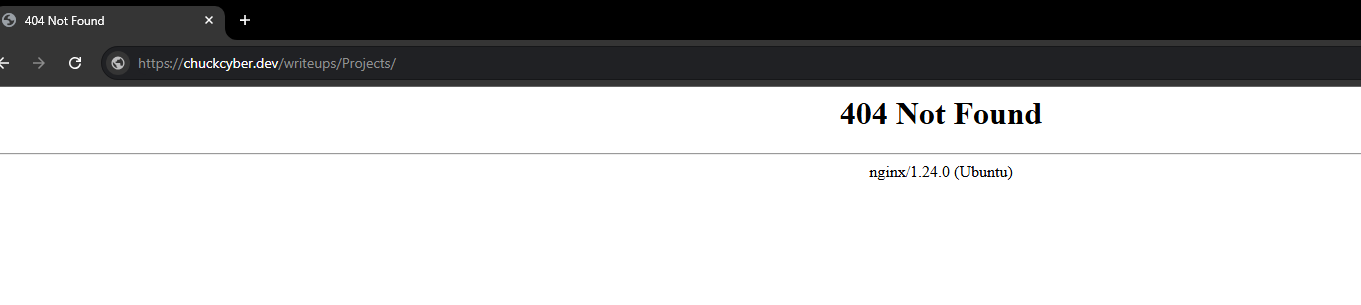 FIX
FIX
Files were not yet copied to the Nginx web root. Uploaded via SCP then copied with sudo
sudo cp -r /home/ubuntu/writeups /var/www/html/
After copying files, the page returned 403 Forbidden — files existed but Nginx couldn't read them
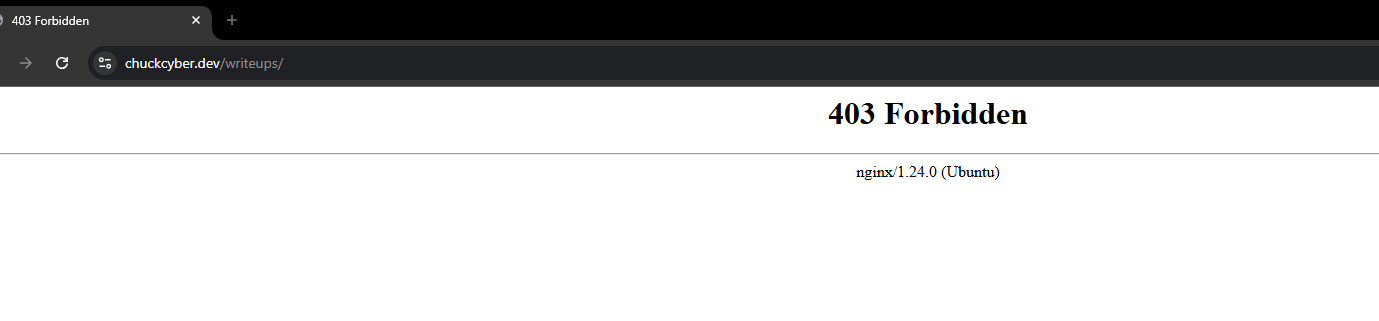 FIX
FIX
Fixed file ownership and permissions so Nginx could serve the files
sudo chown -R www-data:www-data /var/www/html/writeups
sudo chmod -R 755 /var/www/html/writeups